7.2.1. Pipe Clamps and Pipe Classes – Note on DIN Dimensions
This article covers the adjustment of pipe clamps to specific DIN dimensions in SuCri. You will learn how to ensure that all required nominal diameters are correctly recognized by copying classes or catalogs and making individual modifications.
Prerequisites
- Access to the catalog management in SuCri.
- Knowledge of the required pipe outer diameters (OD).
Step-by-Step Instructions
-
Identify the problem:
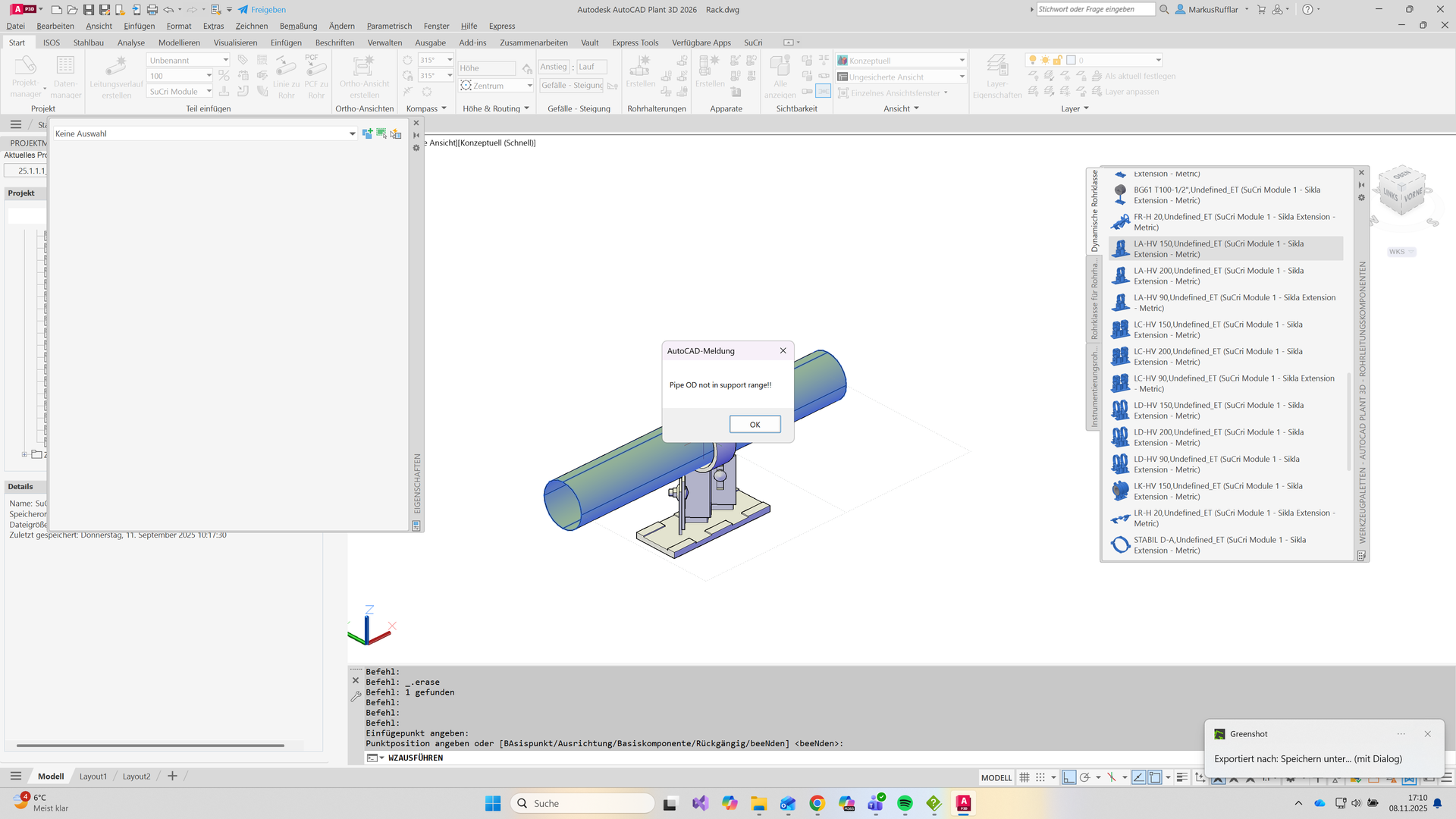
If you place primary supports on pipes whose nominal diameters (e.g., DN100 104x2 mm, DN150 154x2 mm, or DN250 256x3 mm) are not defined in the standard catalog, an error message appears.
Expected Result: The message "Pipe OD not in Support Range!!" indicates that the outer diameter lies outside the defined ranges. -
Check background:
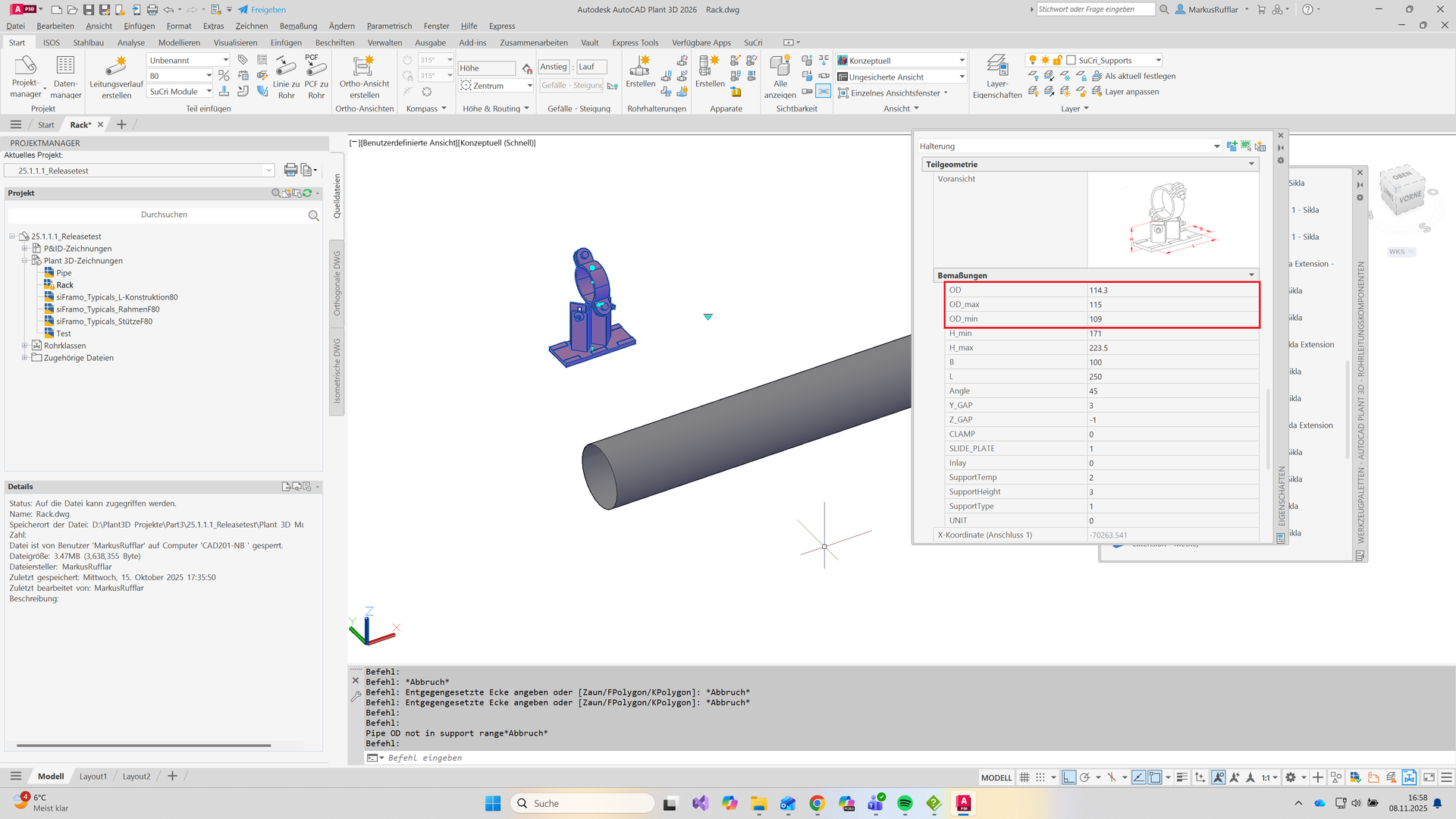
The pipe clamps in the SuCri standard catalog are defined via the parameters OD_MIN and OD_MAX (Outer Diameter). These ranges are based on manufacturer specifications.
Only pipes within these predefined ranges can be automatically linked. Deviating DIN dimensions often fall outside these limits. - Copy catalog or pipe class: Click on the function to copy the existing pipe class or catalog. In the copy, you can freely adjust the values for OD_MIN and OD_MAX or add new entries for the DIN dimensions.
-
Perform individual modifications:
Specifically create new entries for the missing diameters. For example, add the specific value range for 256x3 mm for DN250.
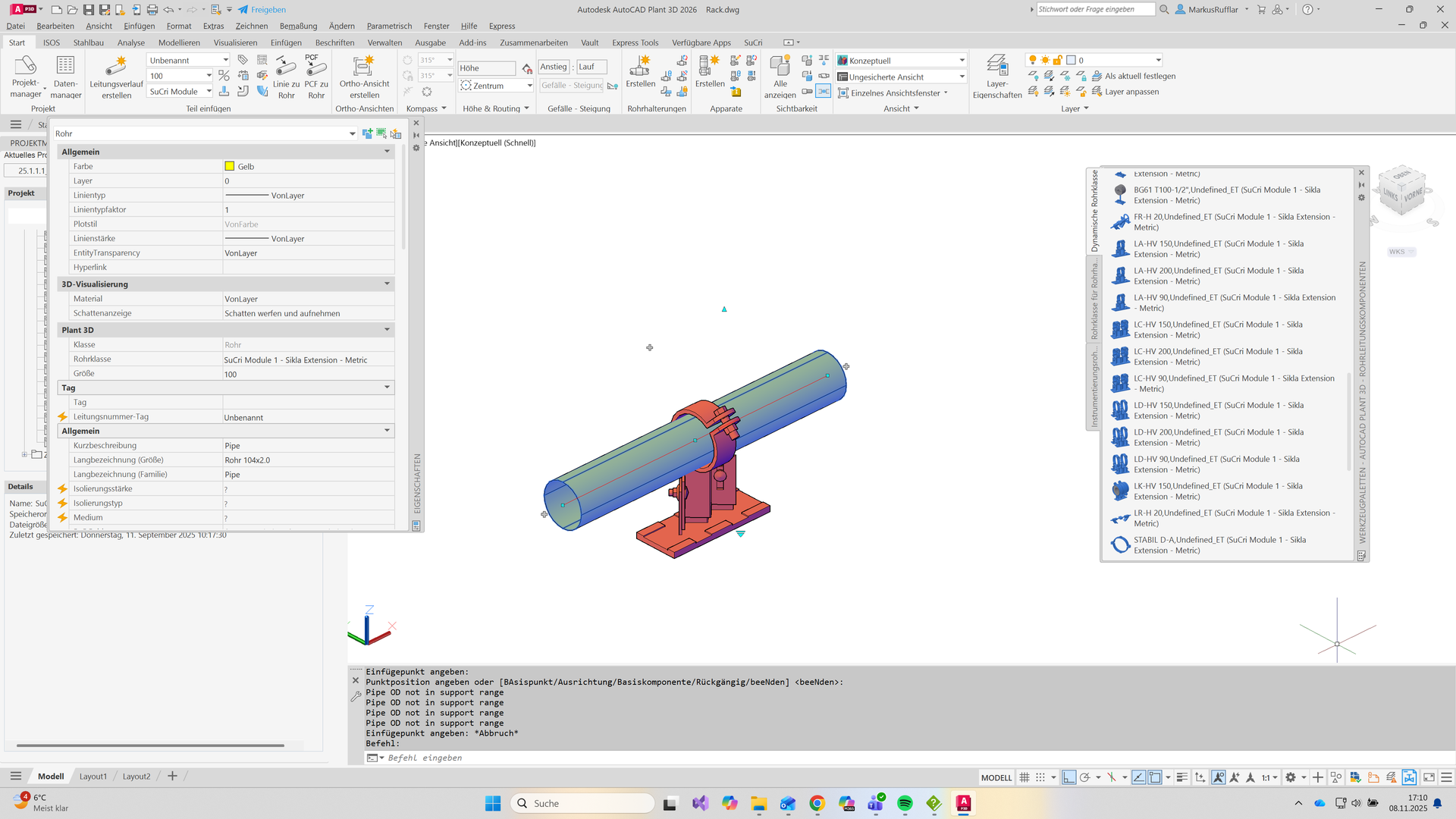
Expected Result: The pipe is now recognized by the system and the appropriate clamp can be placed.
Important Notes
- Use standard: Always use the standard catalog when the pipes lie within the ranges defined by Sikla.
- Project-specific adjustment: Only use individual modifications if your DIN dimensions strictly deviate from the norm.
- Flexibility: By copying the catalogs, you protect the standard library from unwanted changes and maintain update capability.
Troubleshooting
- Problem: The clamp is not found despite the adjustment.
Solution: Check whether the new values for OD_MIN and OD_MAX encompass the exact outer diameter of the pipe including tolerances.