4.6. Repair Component Linking
4.6. Repair Component Linking

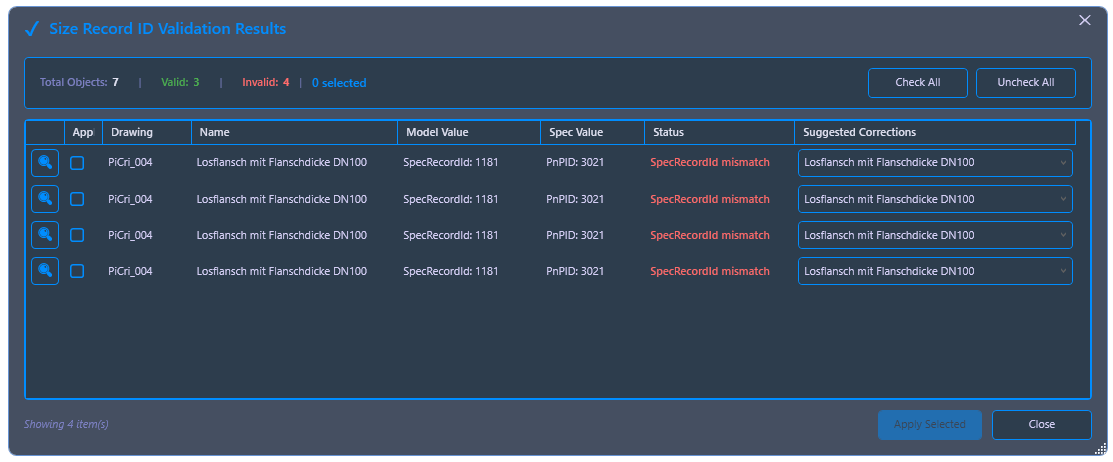
Re-establishes the link between components in the 3D model and the corresponding entries in the Plant 3D specification. This is necessary if a component in the specification catalog has been modified such that it receives a new record ID, and components placed in the model can no longer be updated using the standard "Update" command.
Ribbon button: Repair Links > Repair Component Link
Command: PiCriFixComponentLink
Typical use case: A flange is supplemented with additional properties (e.g., manufacturer, extended long description) in the Spec Editor. If it is then removed from the specification and re-added during the next save, it receives a new record ID. Components of the same type that are already placed in the 3D model can then no longer be updated with the standard "Update" command. This command resolves this conflict.
Procedure:
- Click on the command in the "Repair Links" area. In the dialog that appears, choose between "Current Drawing" and "Project".
- PiCri compares the components placed in the model with the components in the specification, matches the underlying scripts, and assigns the appropriate, current record ID to each component.
- Afterward, the repaired components can be used with the standard "Update" command.
Example scenario: A flange is supplemented with the property "Manufacturer" and an extended family long description in the Spec Editor. The standard "Update" command then reports that the component in the model cannot be updated (new record ID in the specification). After applying "Repair Component Link", the link to the current specification is restored; a subsequent call to "Update" adopts the new properties as usual.