4.7. Pipe Length Export
4.7. Pipe Length Export
Generates an Excel report with pipe lengths and other geometric parameters (outer diameter, wall thickness, surface area, volume) for one or more drawings of a Plant 3D project. Optionally, 3D polylines can be automatically generated along the pipelines as centerlines, which can then be used in the model.
Ribbon button: Calculation > Pipe Length
Command: PiCriTotalPipeLength
Procedure:
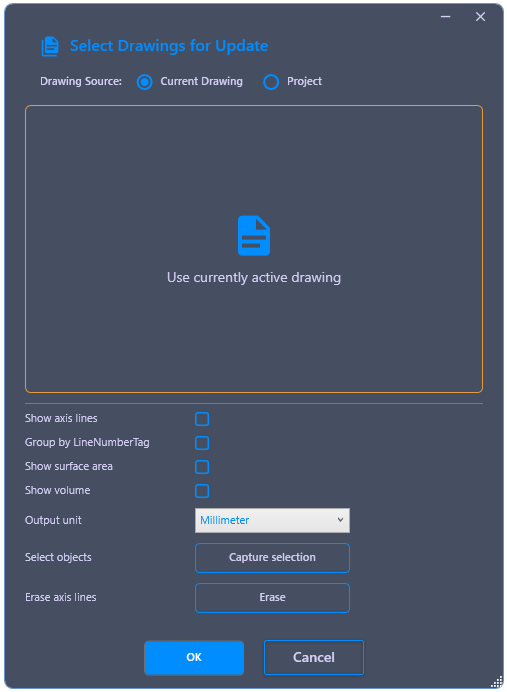
- Start the command. In the dialog, choose between Current drawing and Project.
- Optionally activate additional evaluations: Draw Centerlines generates 3D polylines along the pipe runs in the model, Group by LineNumberTag adds a second tab with summarized values per line number, and Surface and Volume adds corresponding columns in the Excel list. The Output unit (e.g., mm, m) can also be specified.
- If the evaluation should not include entire drawings but only selected objects, activate Capture Selection and select the objects directly in the model.
- Confirm the dialog with OK. PiCri evaluates the selected data and automatically opens the generated Excel file.
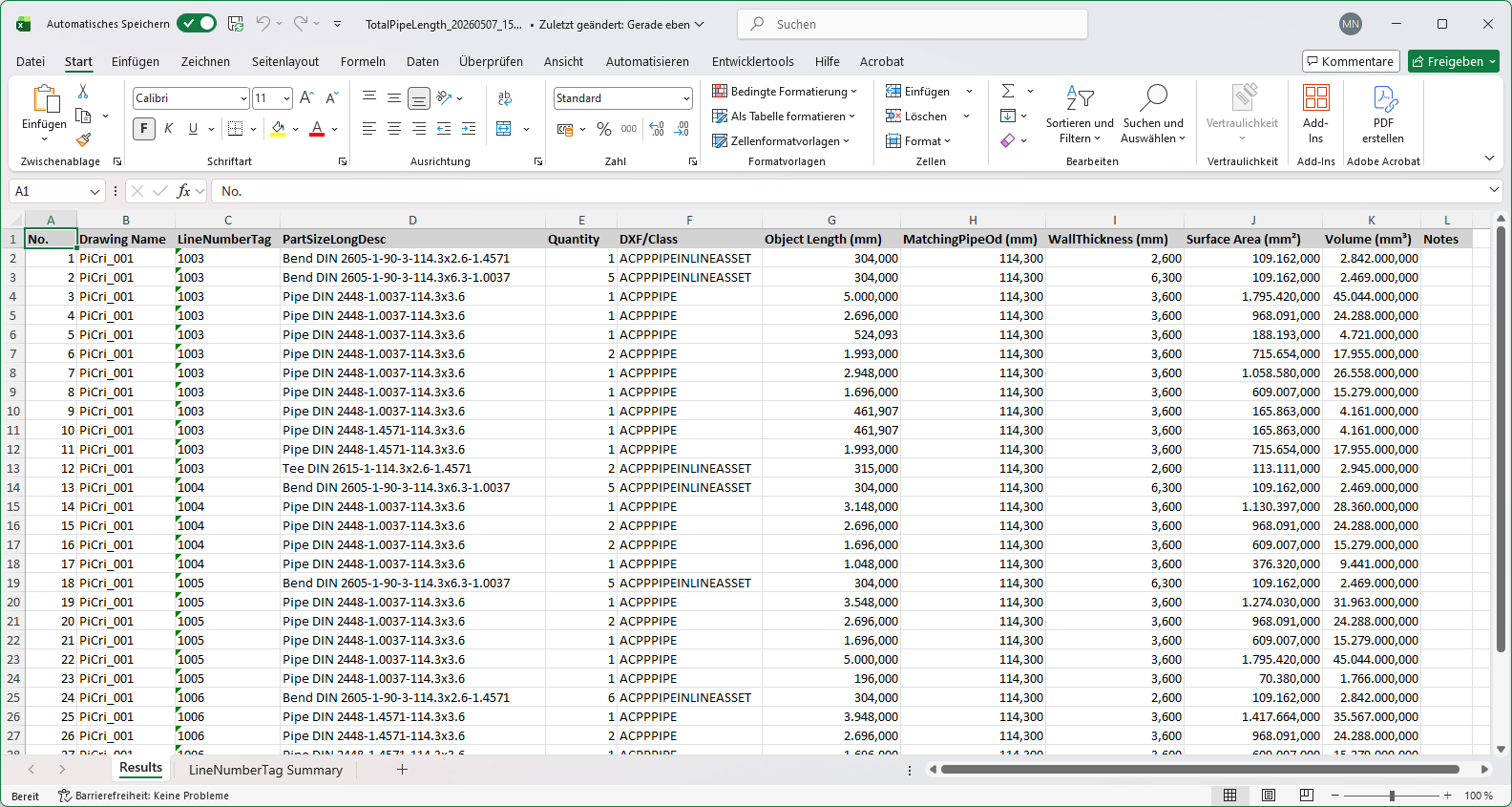
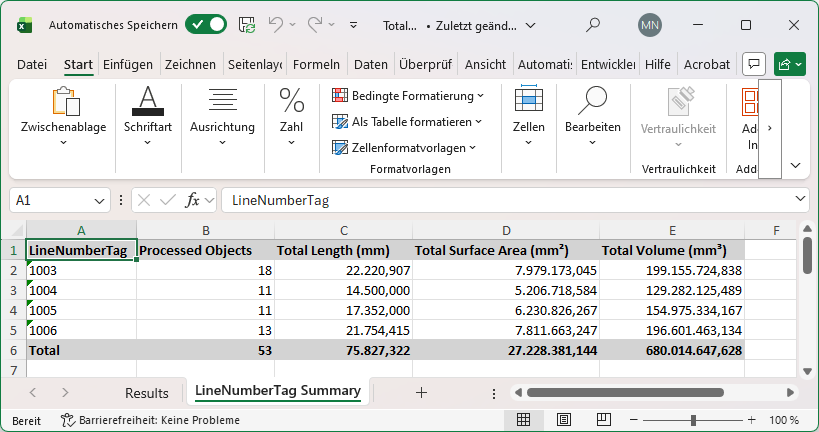
Contents of the Excel list: The first tab lists the individual pipe objects line by line with drawing name, sorted by line number, as well as the columns Quantity, Object Length, Outer Diameter, Wall Thickness and – if activated – Surface Area and Volume. If grouping is activated, a second tab contains the total values per line number.
Centerlines: The optionally generated 3D polylines are placed in the model and can be further used, copied and edited there like normal AutoCAD polylines. They can be completely removed from the model at any time using a separate function.