4.8. Connect
4.8. Connect
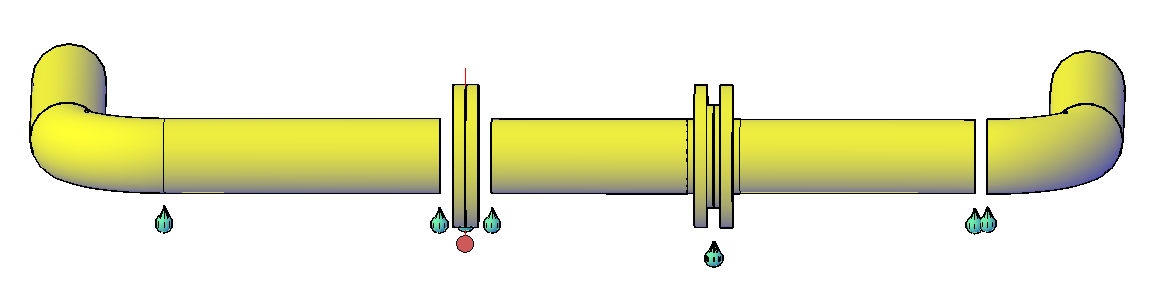
Detects disconnected pipe ends, missing weld neck flange or gasket components, and flange pairs without a bolt set, and closes them in one operation. Within an adjustable tolerance, gaps between components can be automatically bridged, and the missing connection components can be inserted from the pipe class.
Ribbon button: Connection > Check Unconnected Parts
Command: PiCriConnectionIntegrity
Procedure:
- Start the command. In the dialog, choose between Current Drawing and Project and set the Tolerance, which is the maximum allowable distance up to which two component ends are still recognized as belonging together.
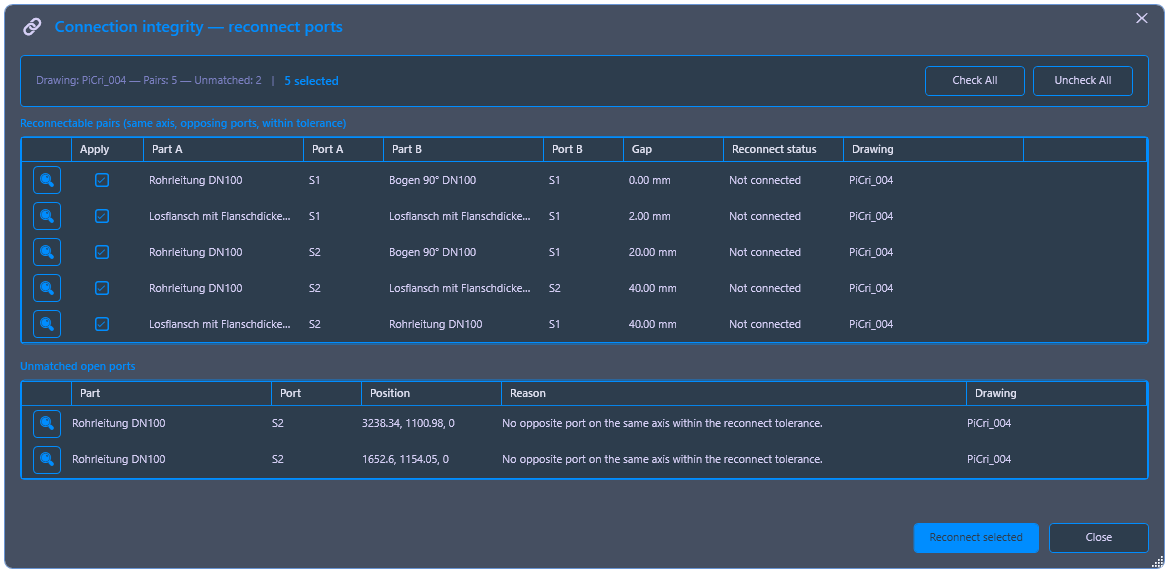
- PiCri scans the selection and lists all identifiable connection points. The magnifying glass allows zooming in on each individual point; in the background, the relevant point in the model is highlighted, so that Part A and Part B are clearly distinguishable. The measured gap distance is displayed for each connection.
- Individual connections can be deactivated – these will not be connected afterwards. Unassigned open connections (pipe ends without counterparts) are listed separately.
- Click on "Reconnect selected parts". PiCri closes the marked gaps, adds missing weld neck flanges from the pipe class, and automatically inserts gaskets and bolt sets for flange pairs. Subsequently, the model no longer contains placeholder components.
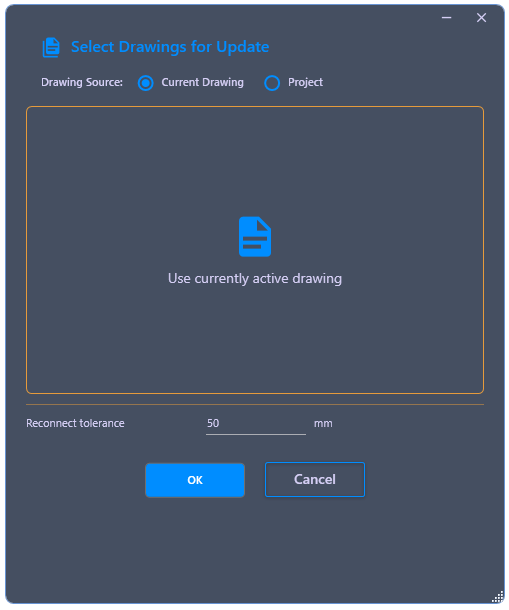
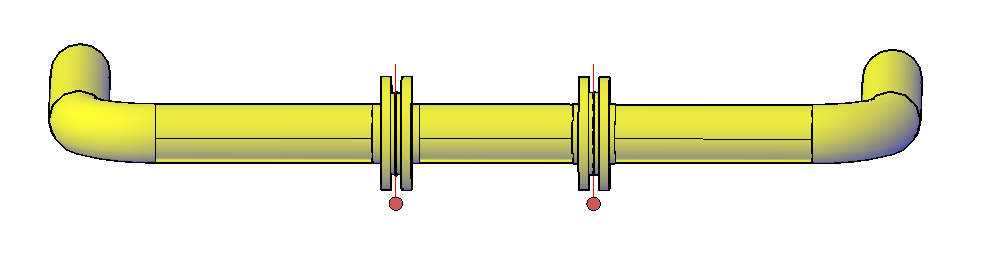
Example Workflow: In combination with AutoCAD’s quick selection, connection components can be exchanged project-wide. Example: An existing weld neck flange with a 5mm offset is to be replaced by a longer one with a 10mm offset. Procedure: (1) Add the new part to the RAW class and remove the old one; (2) Use AutoCAD’s quick selection to select and delete all affected connections drawing-wide or project-wide – the parts remain unchanged, only the connections are removed; (3) Call Connect and apply it to the entire drawing or project. PiCri recognizes the open points and automatically inserts the correct connection components from the updated RAW class – including associated gaskets and bolt sets.