4.4. Clip Box
4.4. Clip Box
The Clip Box panel provides tools to define a 3D bounding box and hide (clip) geometry outside of it. This is useful for isolating a specific area of a large model for detailed work or review.
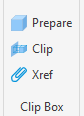
Application benefits: The clip box is a convenient alternative to isolating objects or hiding entire layers. In large projects, it also noticeably improves display performance, as only the geometry within the box is rendered. External references (XRefs) are also affected by clipping – referenced models that pass through the clip box are also clipped to the defined area.
Adjusting the Box: Once the clip box is created, it can be selected like a normal AutoCAD object. The displayed grips allow you to precisely adjust its size to the respective task at any time. The box can also be deleted and rebuilt at another location in the model to switch between different detail areas.