4.2.3. Display, Numbering (Weld Seam / Spool / Part)
On this page
Toggles the visibility of numbering annotations for the current mode.
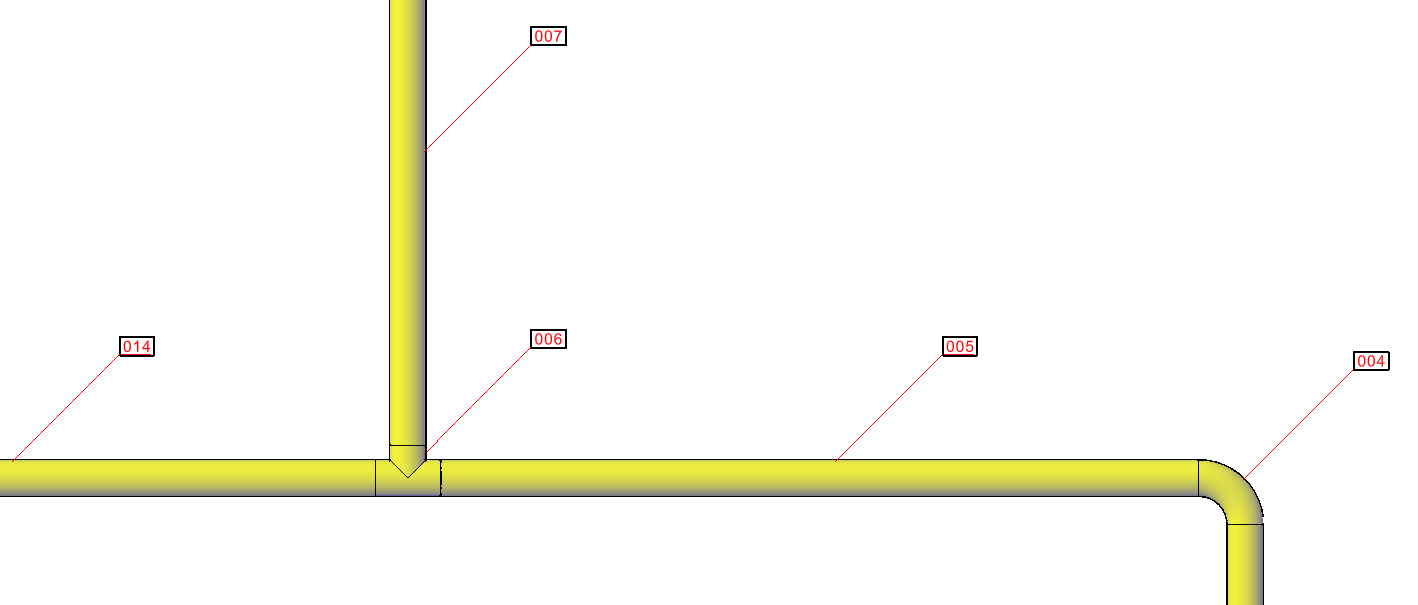
Benefits: Instead of checking the numbers of each object individually in the properties dialog, all numbers of a mode can be directly displayed in the 3D model. This allows for quick and clear verification of the numbering sequence and completeness—especially in larger piping systems.
Behavior by Mode:
- Weld: Creates or removes 3D text annotations at weld locations displaying the weld number.
- Spool: Toggles color-coded display – each spool segment is assigned a unique color for visual identification. Re-running the command restores original object colors.
- Part: Creates or removes 3D text labels at part locations displaying the part number.
Command: PiCriGenericShow