3.2. Module 2, The SuCri user interface
On this page
3.2. Module 2: Structure of the user interface
In this section you will get an overview of the structure and the various functional areas of the program interface. Understanding these components is essential for efficient navigation and operation of the software.
Visualization of the interface
The user interface is divided into three main areas for intuitive operation:
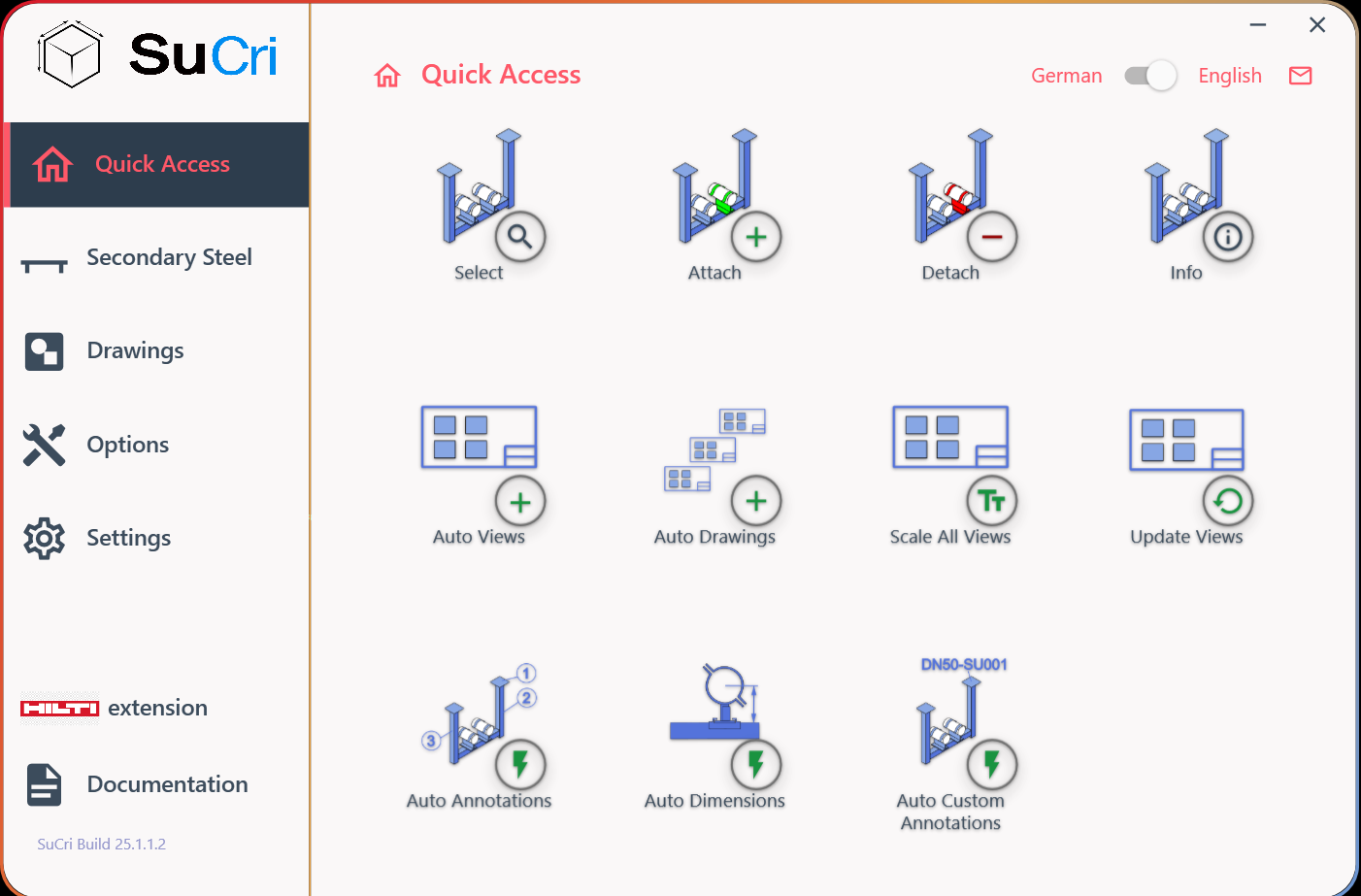
Result: You see a structured view consisting of the navigation menu (left), the status bar (top right) and the command panel (right).
Step-by-step instructions
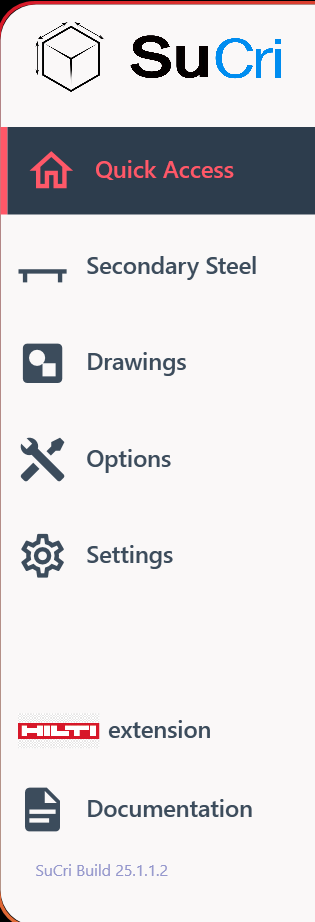
1. Use the navigation menu
Click on the various icons in the navigation menu on the left side. Here you can navigate between the individual function groups. Note that the available commands in the command panel adapt dynamically to your selection.
2. Monitor the status bar
Use the status bar at the top right to view information about the currently active panel. Here you can also switch the language or contact us directly via the email icon.

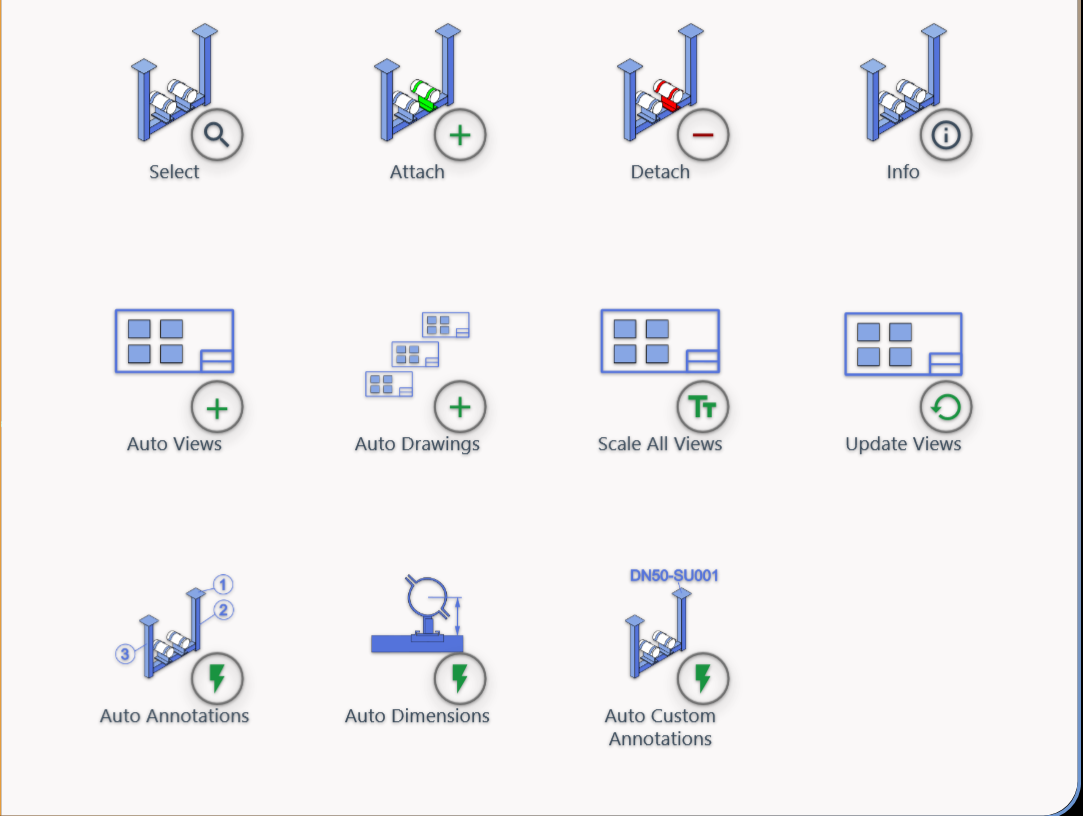
3. Operate the command panel
In the command panel on the right side you will find the specific actions and tools of the group that you previously selected in the navigation bar.
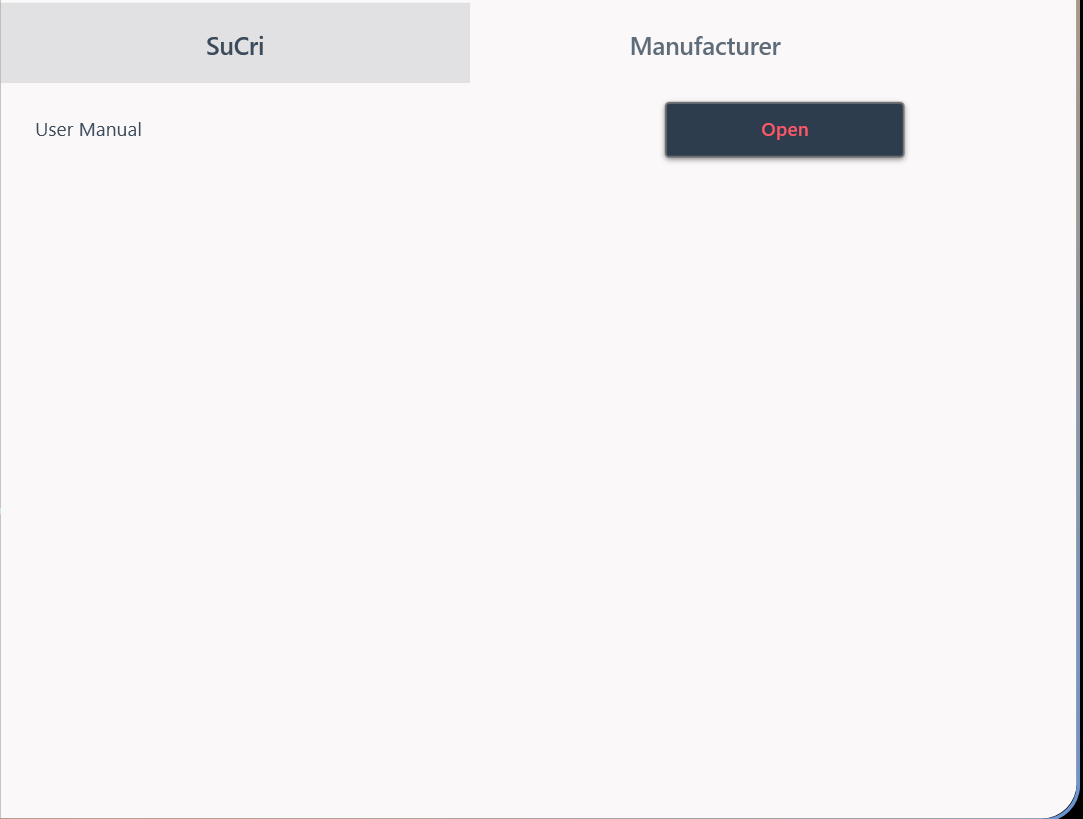
4. Open the documentation panel
In the Documentation panel you will find further resources and links, such as direct access to our knowledge base.
Important notes
- Design variations: Please note that each manufacturer uses its own interface color. However, the basic structure and logic of the interface remain identical for all manufacturers.
- Dynamic content: The command panel updates immediately as soon as you select a different group in the navigation menu.