3.5. Module 4, The SuCri user interface
On this page
This article explains the layout and structure of the user interface of Module 4. A sound understanding of the navigation enables you to control the manufacturer-specific functions efficiently.
Step-by-step guide
The interface of Module 4 is divided by default into three functional areas:
- Navigation menu on the left side
- Status bar on the upper right side
- Command panel on the right side
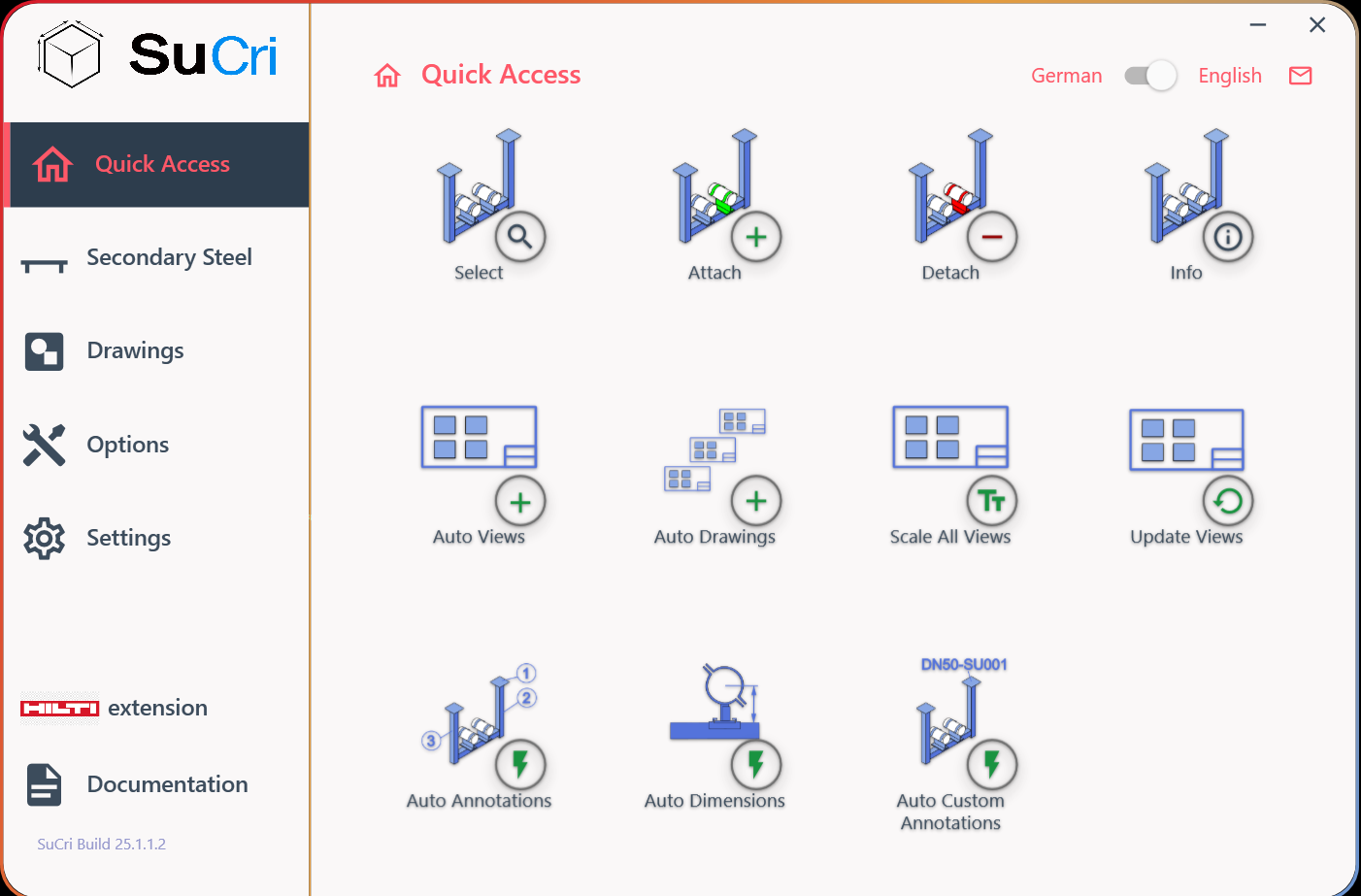
Result: The overall overview shows the clear separation of the working areas.
1. Using the navigation menu
Use the navigation menu on the left side to switch between the individual function groups. When you select a group, the available options in the command panel adjust automatically.
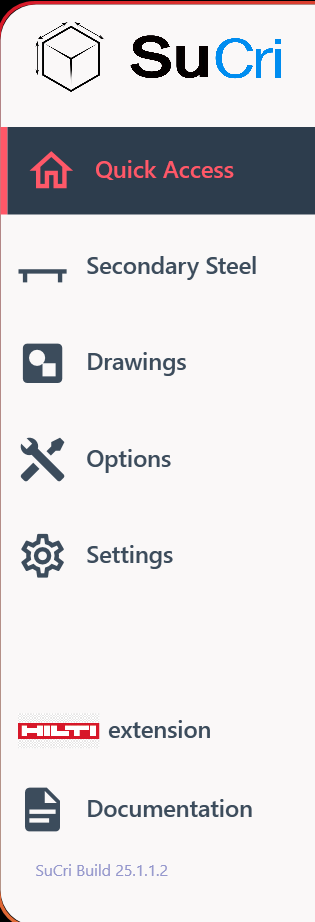
Result: Selecting a group in the menu dynamically updates the right side of the screen.
2. Checking the status bar
In the status bar you will find information about the currently active panel. Here you can also switch the language or contact support directly via the e-mail icon.

Result: Administrative settings and status information are visible at all times.
3. Operating the command panel
In the command panel the specific commands and actions of the group that you previously selected in the navigation bar are displayed.
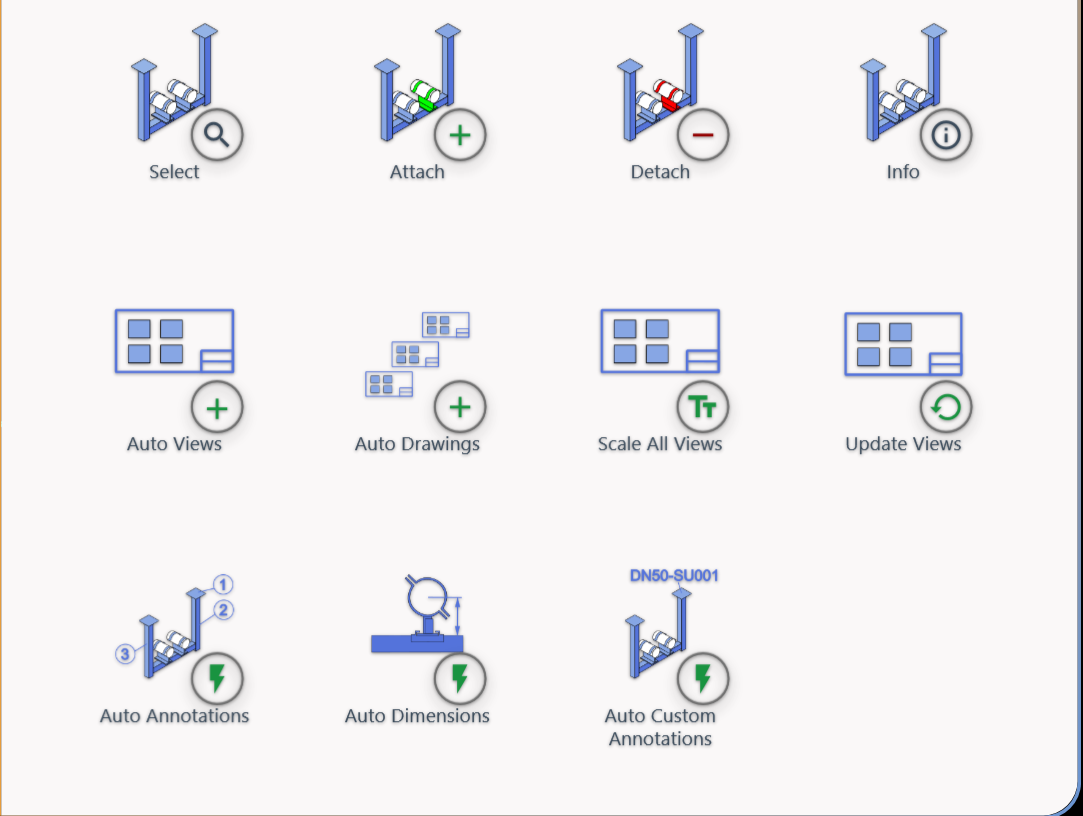
Result: Here you carry out the actual work steps and commands.
Important notes
Note:
Please note that each manufacturer has its own interface colour. Despite the different colour design, the structural layout of the interface remains identical and consistent for all manufacturers.