4.5.16. Define drawing areas (SuCri4PlantOrthoDrawArea)
On this page
Overview
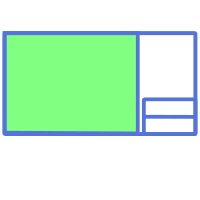
Define drawing areas is the one-time preparation that Module 4 needs: SuCri must know where in the drawing template each view is to be placed. Nothing else needs to be adjusted in the ortho DWT.
Significantly more options are available than in the standard, including a layout plan with a top view including coordinates, which shows where you are in the plant, a north arrow, section areas and a detail area for the detail library.
Where can I find the function?
In the Module 4 window under Options, then Set Draw Area. If Module 4 is pinned to the tool palette, you will find the function in the Views group under Draw Area. Alternatively via the command line with SuCri4PlantOrthoDrawArea.
Plant 3D™ command
Property | Value |
Command | SuCri4PlantOrthoDrawArea |
Icon | |
Module 4 window | Options > Set Draw Area |
Tool palette | Module 4 > Views > Draw Area |
Keyboard shortcut | No default shortcut |
From version | SuCri 25.1.1.1 |
Video
How it works in detail
You open the ortho DWT via the project configuration and switch to the layout. The command only works in the layout of an ortho drawing or ortho template.
- Call the command. The command line reports Drawing area exists. and asks Select area type.
- Select the area type (default Front):
- Front, Back, Left, Right, Top, Bottom: front, back, side, top and bottom view.
- NW, NE, SW, SE: views from northwest, northeast, southwest and southeast.
- Iso: isometric view.
- Layout: layout plan, a top view with coordinates. The area must have a minimum size, which is defined in the Module 4 settings under Layout plan minimum size (mm).
- NorthArrow: area for the north arrow.
- Section: section area. SuCri asks for a section name and suggests the next free name. The name must match the name of the section that you create in the model with
SuCri4AddSectionView. - Detail: detail area in which SuCri places the matching details from the detail library.
- Exit: ends the command.
- Drag the area: Specify first corner point: and then the opposite corner point. An existing area of the same type is replaced in the process.
The template is then ready for use, and SuCri places the views including dimensions and annotations automatically.
Important special feature: The bill of materials is linked to the front view. If the front view is not needed, it should still be created and simply placed outside the printable area, otherwise the bill of materials will not work.
Tips and best practices
- Never omit the front view: Without it, the bill of materials is missing. Parking it outside the print area is the right approach.
- Park optional views: The same approach is suitable for views that are only needed occasionally.
- Prepare details: For the area type Detail, first set up the detail library (command
SuCri4DetailLibrary, tool palette Views > Detail Library). - One-time work: After that, the template applies to every derivation.
Troubleshooting
- Wrong drawing: If SuCri reports that the command only works in an ortho drawing or only in a layout, open the ortho template and switch from the Model tab to the layout.
- Layout size too small: The layout plan you dragged is smaller than the set minimum size. Drag a larger area or adjust the minimum size in the Module 4 settings.
- No bill of materials in the drawing: Check whether an area of type Front has been created.
Related articles
- Module 4, overview of all Module 4 functions.
- Create single drawing, uses the defined areas.
- 5.3. Module 4 Settings, settings for views and the layout plan.
Copyright © 2026 by IntegaDesign GmbH. All Rights Reserved.