7.2.1. Pipe clamps and pipe classes – note on DIN dimensions
On this page
7.2.1. Pipe clamps and pipe classes, note on DIN dimensions
This article covers adapting pipe clamps to specific DIN dimensions. You will learn how to ensure, by copying pipe specs or catalogs and making individual adjustments, that all required pipe outside diameters are recognized correctly.
Prerequisites
- SuCri Module 1 and Module 2 are installed. Module 2 checks the pipe outside diameter for the SuCri supports from the manufacturer catalogs.
- Access to the Spec Editor or Catalog Editor of AutoCAD Plant 3D.
- Knowledge of the required pipe outside diameters (OD).
Step-by-step guide
-
Identify the problem:
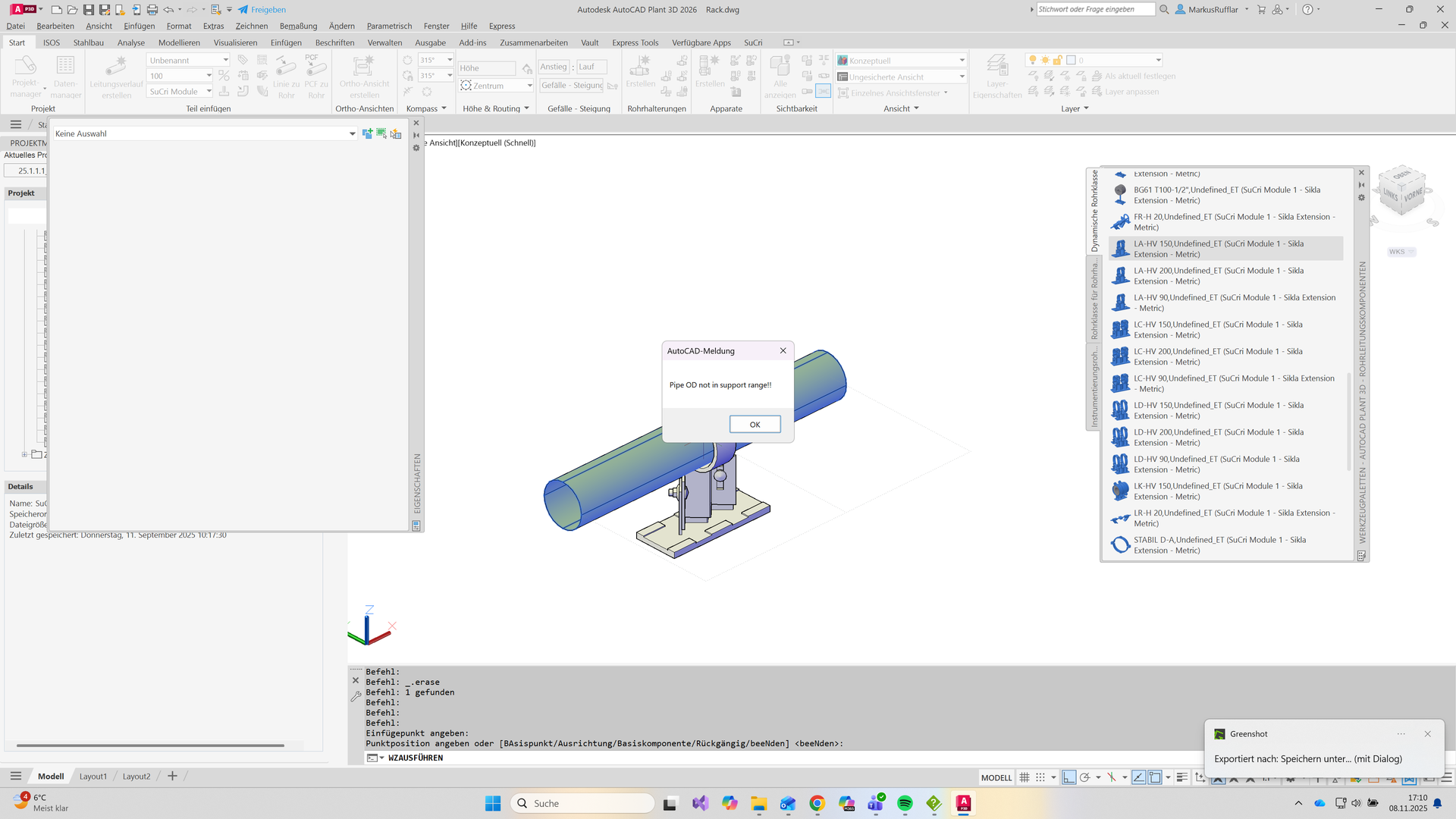
If you place primary supports on pipes whose outside diameter (e.g. DN100 104x2 mm, DN150 154x2 mm or DN250 256x3 mm) is not within the range of the clamp, SuCri reports this.
Expected result: The command line shows "Pipe OD not in support range", and the message "Pipe OD not in support range!!" also opens. The affected support is marked red. -
Check the background:
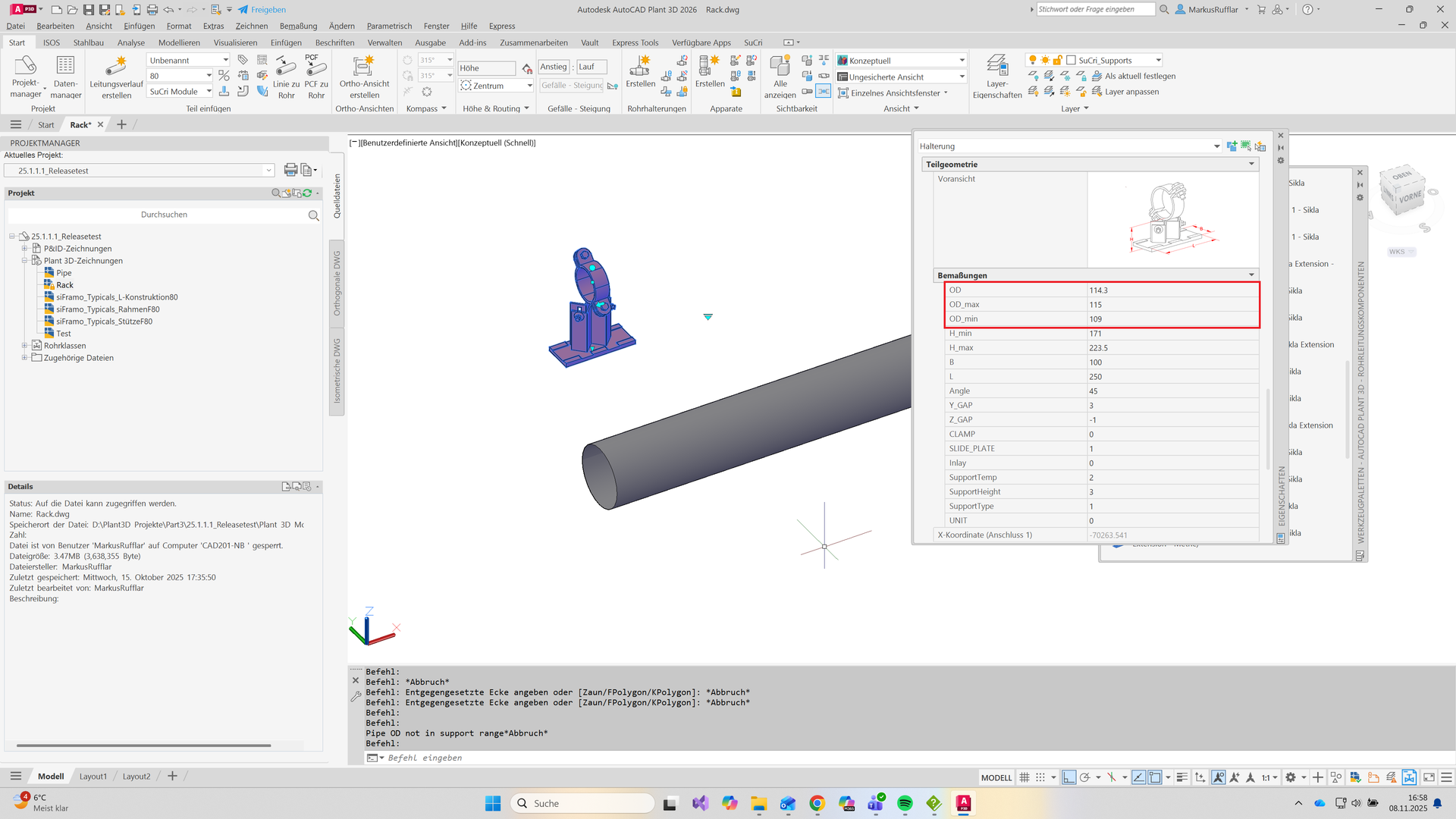
The pipe clamps in the SuCri standard catalog are defined via the parameters od_min and od_max (outer diameter, minimum and maximum pipe outside diameter). These ranges are based on manufacturer specifications.
Only pipes within these predefined ranges can be linked automatically. Deviating DIN dimensions are often outside these limits. - Copy the catalog or pipe spec: In the Spec Editor or Catalog Editor of AutoCAD Plant 3D, create a copy of the existing pipe spec or catalog. SuCri does not provide a function of its own for this. In the copy, you can adjust the values for od_min and od_max or add new entries for the DIN dimensions.
-
Make individual adjustments:
Create new entries specifically for the missing diameters. For example, for DN250 add the specific value range for 256x3 mm.
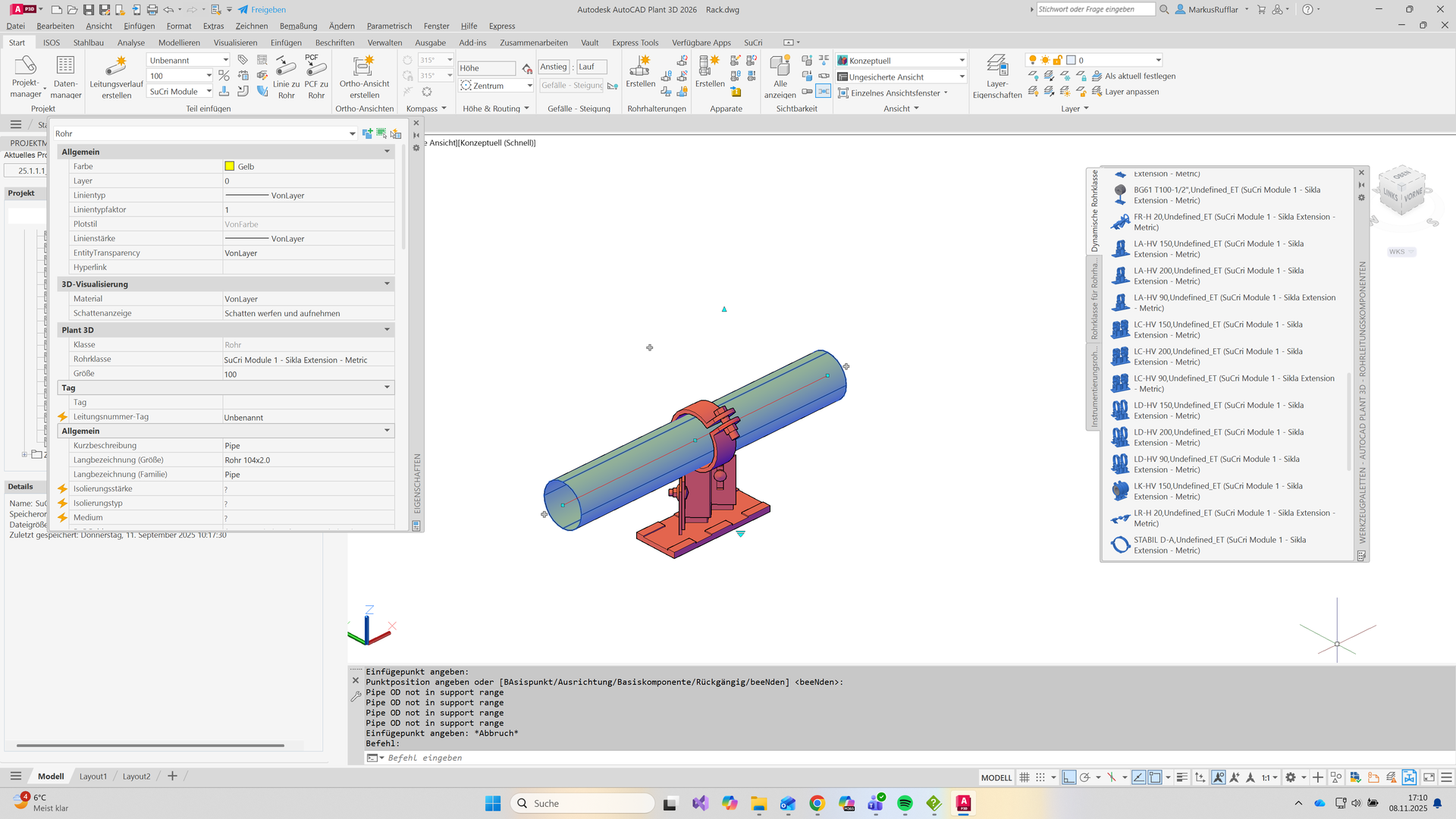
Expected result: The pipe is now recognized and the matching clamp can be placed.
Important notes
- Use the standard: Always use the standard catalog when the pipes are within the ranges defined by the manufacturer.
- Project-specific adjustment: Only use individual adjustments if your DIN dimensions necessarily deviate from the catalog ranges.
- Flexibility: By copying the catalogs, you protect the standard library from unwanted changes and preserve the ability to update.
Troubleshooting
- Problem: The clamp is not found despite the adjustment.
Solution: Check whether the new values for od_min and od_max enclose the exact outside diameter of the pipe including tolerances. - Problem: The support remains marked red.
Solution: Check the support with the commandSuCri2ValidateSupports("Validate Supports"), which among other things checks the clamp fit.
Related articles
Copyright © 2026 by IntegaDesign GmbH. All Rights Reserved.