5.2. Module 3 Settings, Settings of the SuCri modules
7 articles
Overview
These settings control how Module 3 creates connections in Plant 3D and Advance Steel: tolerances when matching the profiles, cut length and shortening, the insertion of bolts and anchors, and the layer for new connection parts. Each setting is described below in a separate article.
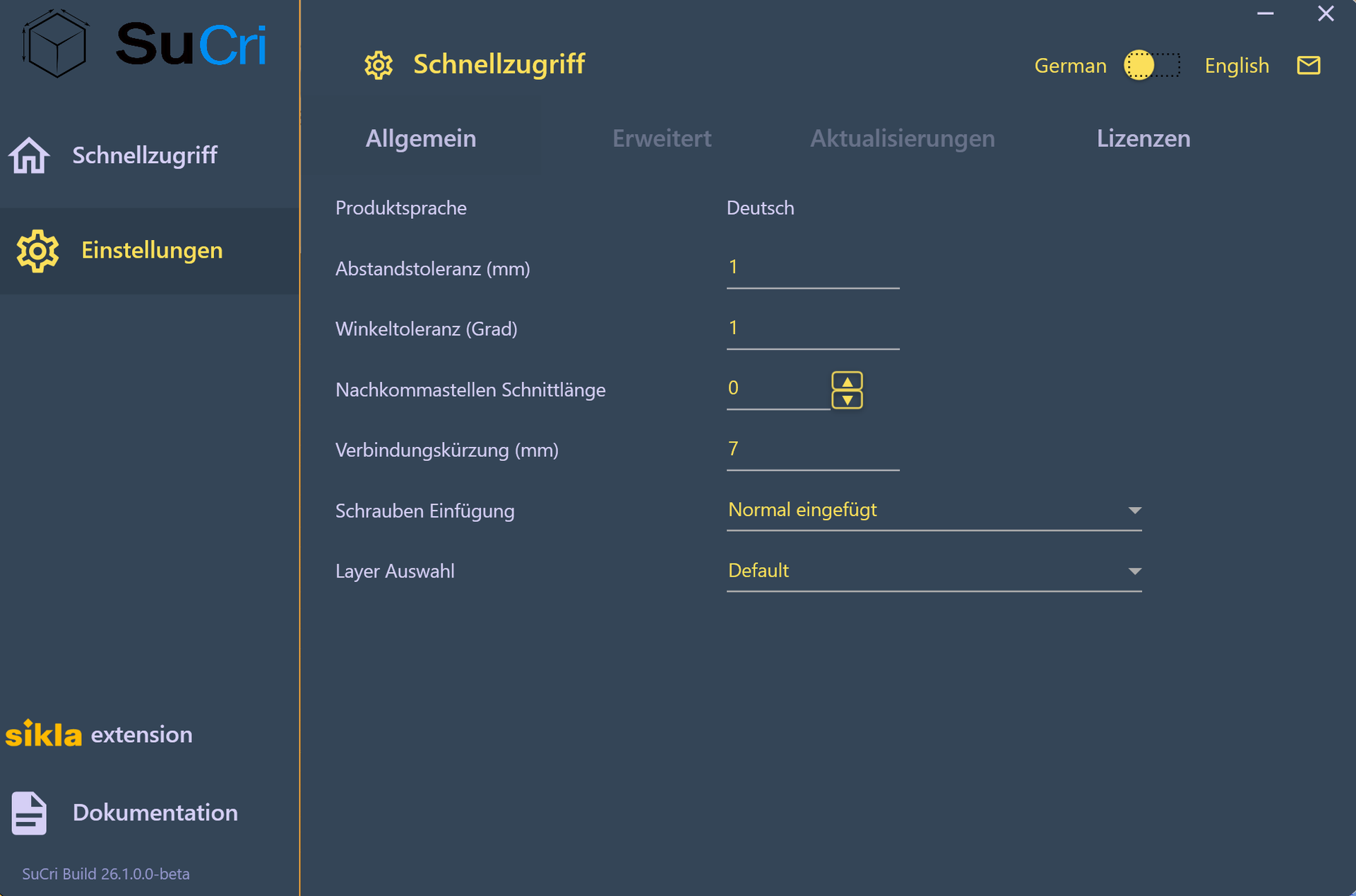
Where can I find the settings?
Open the Settings window with the command SuCriSettings or in the SuCri ribbon using the Settings button. On the left, select the Module 3 tab, General section. Every change is saved immediately; there is no save button on this tab. The values are stored in the file sucri3_settings.json in the CommonData folder of the Module 3 plugin package.
Settings at a glance
- Distance tolerance (mm), default 0.01 mm
- Angle tolerance (degrees), default 0.01 degrees
- Cut length decimal places, default 0
- Connection cut back (mm), default 7 mm
- Screw insertion mode, default "Normal insertion"
- Layer selection, default "Default"
The following are additionally displayed only in Advance Steel:
- Auto create weld (enabled by default): after a connection has been created, adds a shop weld that joins all its parts into one assembly.
- Set profiles welded together (enabled by default): additionally welds the connection parts to the main profile. Only takes effect if "Auto create weld" is active.
The product language is no longer a Module 3 setting. It applies to all modules and is switched at the top right of the Settings window, see Product language.
Copyright © 2026 by IntegaDesign GmbH. All Rights Reserved.
Still a question open?
Write to us, we answer within 24 hours on business days.
Request a consultationMore knowledge bases