4.2.49. Open error log file (SuCriShowLog)
On this page
Overview
Open error log file opens the SuCri log file in Windows Notepad. SuCri writes notes, warnings and errors with a time stamp to this file. The file helps to narrow down problems and is sent automatically with a support request.
Where can I find the function?
The command has no button in the ribbon. Enter SuCriShowLog in the command line.
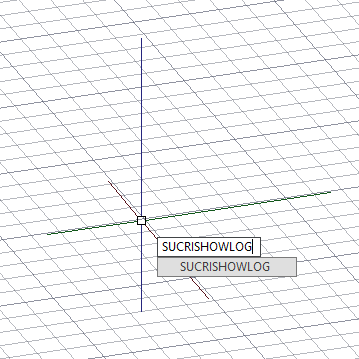
Plant 3D™ command
Property | Value |
Command | SuCriShowLog |
Ribbon | No entry, only via the command line |
How it works in detail
SuCri opens the log file of the current day in Notepad (notepad.exe). It is located in the user's temporary folder (%TEMP%) and is named SuCriLogFile_YYYY-MM-DD.log. A separate file is created for each day.
If there is no file for the day yet, SuCri creates an empty one and opens it. The file is only read; opening it does not change anything in your drawing.
Application examples
Example 1: Looking up an error message
A command aborts with a short message. Open the log and look for the entry at the time of the incident; it often contains more details than the message in the command line.
Tips and best practices
- Earlier days: You can find logs of earlier days in the %TEMP% folder under the respective date.
- For support: The support request automatically attaches the log of the day, so you do not have to look for it yourself.
- Keep the temporary folder in mind: Cleanup programs can empty %TEMP%. Back up important logs beforehand.
Troubleshooting
- The file is empty: SuCri has not logged anything yet on the current day, or the file has just been newly created.
- Notepad does not open: Check whether notepad.exe is available on the computer. You can also open the file directly in the %TEMP% folder.
Related articles
- Error reports, describes how to report errors to IntegaDesign.
- Troubleshooting in SuCri, collects solutions for common problems.
Copyright © 2026 by IntegaDesign GmbH. All Rights Reserved.